
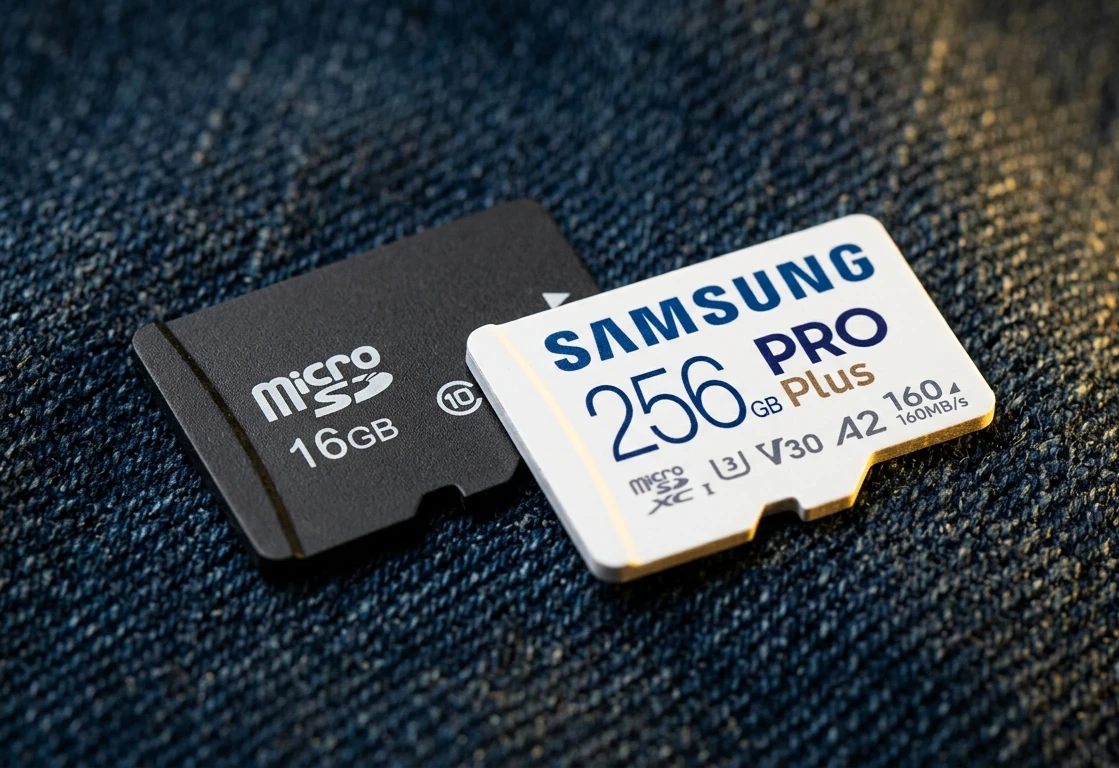

You switch on your retro handheld, and nothing. A black screen, or an error you’ve never seen before, or the menu that refuses to load. After a moment of confusion comes the realization: the SD card has died — and with it, every save file you’ve built up over weeks.
If that’s happened to you, you’re not unlucky. It’s the single most common problem with retro handhelds, and almost every owner runs into it eventually. The good news is that it isn’t random, and it isn’t something you just have to accept. There’s a clear reason it happens, and a straightforward way to make sure it stops happening.
Here’s why factory SD cards fail, why they take your saves with them, and how to protect your progress.
The card nobody chose
Most retro handhelds ship with a microSD card. On many of them that card holds the operating system, the games, and — most importantly — your save files, all in one place. On others, particularly Android handhelds, the operating system lives in the device’s own internal storage and the card is there for the games. Either way, that single card is carrying something you can’t easily replace.
The problem is the card the factory puts in there. To keep costs down, manufacturers fit cheap, “no-name” microSD cards with no recognizable brand behind them. They work well enough to get the device out of the door. What they don’t do is stay reliable.
Within weeks — sometimes days — these cards start to fail. And the failure almost always shows up first in the thing you can’t replace: your saves.
Why a card fails (and why the cheap ones fail fast)
A microSD card is flash memory, and flash memory wears out. Every time data is written, a small amount of physical wear happens to the memory cells. Good cards manage that wear carefully, spreading it evenly across the whole card so no single area dies early. Cheap cards don’t.
That matters more in a retro handheld than in almost any other device. Where the operating system lives on the card — which is the case for most Linux-based handhelds — the device writes to it constantly: logging activity, saving your progress, caching box art, updating its library in the background. Small writes, all day long. On Android handhelds the writes are lighter, but the card still carries every game and every save you make. On a well-made card that’s no problem. On a cheap card with poor wear-leveling and inferior internals, those small writes burn through its limited lifespan surprisingly fast.
Then there’s power. Handhelds get switched off abruptly, batteries run flat mid-game, and the device runs warm by design. When power drops in the middle of a write, the data sitting in the card’s write cache — not yet safely committed to the memory cells — can be lost or left half-written. That’s true of any card, of any brand. What separates a well-made one is how it copes with the relentless, low-level writes of day-to-day use.
Two things tend to happen, and they look different:
- Sudden death. The card’s internal circuitry fails or a critical memory sector dies, and the card simply stops working. The device won’t boot, the card reads as empty or throws errors, and your data is gone in an instant.
- Slow corruption. This is sneakier. Files start to disappear, games refuse to load, the menu behaves oddly, saves vanish. The card is technically “working” but the data on it is rotting. By the time you notice, the damage is usually done.
Both trace back to the same root: a card that was never built to take the workload a retro handheld demands.
Why it costs you your saves
This is the part that stings. On most handhelds, your games and your save files live on the same card. When corruption hits, it doesn’t know the difference between a game you can reinstall and the forty-hour save you can’t.
You can put the games back. You can’t put the saves back — not the hours spent, the levels cleared, the progress earned. That’s what makes SD card failure hurt in a way that, say, a dead screen or a sticky button doesn’t. It’s not just a broken device. It’s lost time.
It’s exactly why I treat storage as the most important part of any handheld I sell. If you’re wondering whether you actually need to replace the card in your current device, I wrote more about the practical side of that here.
What actually makes a card reliable
Capacity tells you nothing about reliability. A 256 GB no-name card is still a no-name card. And in the worst cases, cheap cards lie about their capacity entirely — reporting 256 GB while actually holding a fraction of that, and silently overwriting your data the moment it fills up.
What makes a card reliable is the quality of the flash memory inside it and the circuitry that manages it. That means a genuine card from a manufacturer that actually makes flash memory: SanDisk, Samsung, or Kioxia. Kioxia is the rebrand of the Toshiba Memory Corporation — and Toshiba are credited with inventing flash memory in the early 1980s. Cards from names like these use proper NAND, real wear-leveling, and control circuitry built to handle sustained writes. They cost a little more because the components cost more — and that difference is exactly what keeps your saves alive.
How K-TEC removes the risk
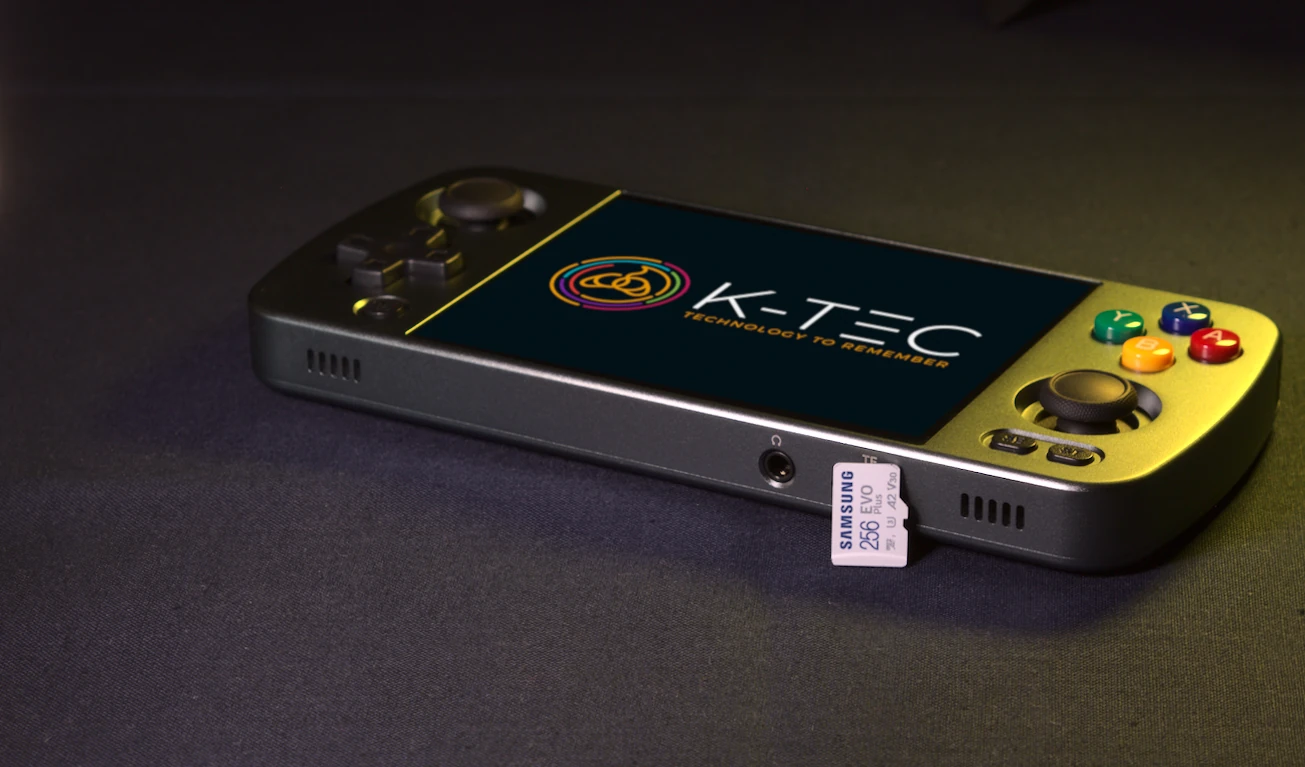
This was one of the problems I set out to solve when I started K-TEC — alongside the unoptimized configurations and poor stock firmware that blight so many handhelds straight out of the box. Every device I sell gets the same treatment before it reaches you.
I take out the factory card immediately and fit a genuine brand-name card — SanDisk, Samsung, or Kioxia — as standard. No exceptions. You never receive a device with the card nobody would choose if they knew what it really cost them.
And because even the best card can eventually fail, every card I fit is covered by my Lifetime SD Card Guarantee. It works in two ways:
- If the card physically fails, I send you a replacement — free.
- If the data becomes corrupted, I re-flash and restore the card for you, so you get back to a clean, working setup.
To be clear about what “lifetime” means: it lasts for as long as you own the device and use the card with it. Not forever in the abstract — for the working life of your handheld. No quibbles, no expiry date while it’s yours. I think of it as an insurance policy for your gaming progress.
It’s a core part of what makes a K-TEC handheld different from a factory-standard one — you can read more about that here.
The short version
SD card failure isn’t bad luck. It’s the predictable result of a cheap card being asked to do a demanding job. The fix is simple in principle and only hard in practice because it takes time and the right components: fit a genuine brand-name card, and stand behind it if it ever fails.
That’s what I do for every device. If you’d rather not find out the hard way whether your factory card is one of the good ones, have a look at the range — or if you’re not sure which handheld is right for you, get in touch and I’ll talk you through it.
Leave a Reply