

If you bought your handheld from K-TEC then, no, you don’t need to replace it. I supply brand-name microSD cards with my handhelds and they come with my lifetime guarantee.
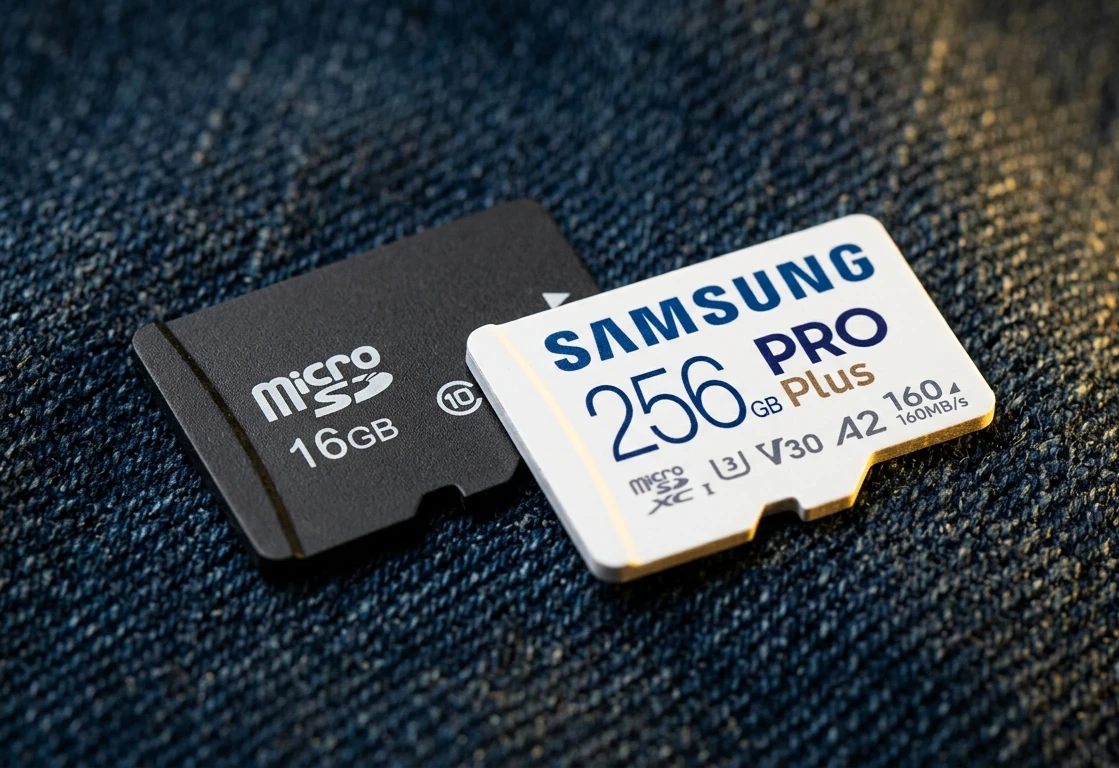
If you bought your handheld elsewhere, then take a look at the SD card that came with it. If it has a brand name on the card, then you should be fine. See below for recommended brands.
If the SD card does not show a reputable brand name, then it’s recommended that you replace it.
Why does the SD card need to be replaced?
The manufacturers of these retro handhelds usually supply them with cheap SD cards. It saves them money. These cards work at first but they have a reputation for a high failure rate. The risk of the card failing increases over time.
What happens if the SD card fails?
The card will experience data corruption or it will become read-only.
The way this manifests will vary depending on which data has been corrupted. Your device may no longer boot at all. You may not be able to save your game’s progress. Certain games may no longer run.
Your device may show more of these symptoms over time.
Which brand of microSD card should I buy?
Here is a list of reputable microSD card manufacturers:
- Kioxia
- SanDisk
- Samsung
- PNY
- Lexar
- Integral
Kingston is a famous name in the world of SD cards. Nonetheless, my own experience with their cards has been disappointing. Hence, I feel that I can’t add them to the list.
What should you do when you get your brand-name SD card?
Before anything else, you should back-up the card(s) that came with your device. If it fails while you’re waiting for your new SD card to arrive, the backup will be a life-saver. See How to backup your retro handheld’s microSD card(s) for more.
Once you’ve got your new card, I recommend installing custom firmware on your new card(s). This custom firmware will give you a better user experience and better performance.
For more information on how to install custom firmware, see Retro Game Corps‘s video below. It’s about ArkOS on the Anbernic RG351P but the principles are the same for other handhelds. Leave a like on the video while you’re there.
I recommend this custom firmware:
| Firmware | Devices |
|---|---|
| OnionOS | Miyoo Mini. |
| ArkOS | Anbernic RG351, RG503, and RG353 devices. |
| RetroOZ | PowKiddy RGB10 MAX, RGB10 MAX 2. |
| Adam | Anbernic RG280V, RG350, RG300X. |
I don’t have the confidence/time to do all this. What can I do?
If you lack the time or technical knowledge to install custom firmware you can buy your device from K-TEC.
If you’re in the UK, buy your retro gaming device from K-TEC UK. My handhelds come with brand-name SD cards, that have my lifetime guarantee, and custom firmware pre-installed. Skip the setup. Start the game.


Leave a Reply